Add your name and the date below your photo, in the exact size and KB that exam forms need.
Last updated:
Drag the photo to move it. Keep your face in the white area above the strip.
Tap a size to set it in the tool, then upload your photo
Only add name and date if your notification asks for it. Always check the latest official notice.
The green ticks show the size, KB and format before you download.
Some forms ask for your name and the date of photo printed below your photo. This tool does it in seconds.
| Exam or form | Name and date on photo |
|---|---|
| NEET UG 2026 | Not required, but allowed |
| SSC exams | Photo is taken live in the form, no upload |
| State police and state PSC | Often asked, check your notice |
| College, scholarship, job forms | Sometimes asked, check the form |
| Problem | Fix |
|---|---|
| Name spelling differs from the form | Type it exactly as in the form |
| Text covers the chin or face | Text goes in the strip below the face |
| File too big or too small | Pick the KB range from your notice |
| Wrong size in pixels | Pick Exam form or type a Custom size |
| Old photo | Use a photo from the last 3-6 months |
| Handwritten name | Use typed text, like this tool |
Everything runs inside your browser. Your photo is never uploaded or stored.
No signup, no watermark. Free for every form.
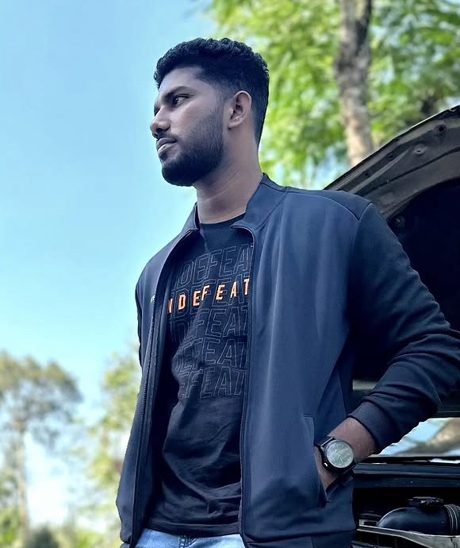
Upload your photo, type your name, check the date of photo and pick the size. The tool adds a white strip below your face with the name and date, and saves a JPG in the KB range you choose.
Date of photo, the day the photo was taken, unless your notification clearly asks for date of birth. The tool fills today's date; change it if the photo was taken earlier.
DD-MM-YYYY is the most common, like 15-10-2026. Pick DD/MM/YYYY or DD.MM.YYYY if your notification shows that format.
No. The NEET 2026 bulletin does not ask for it. A photo with name and date is still accepted if it meets the other rules: JPG, 10-200 KB, white background, face clearly visible.
It changes every year and by recruitment. Some state police, state PSC and job forms ask for it. Always follow your notification. If it does not ask, upload a plain photo.
Use the same spelling as in your application form. Capital letters are easiest to read when the photo is small, so CAPS is on by default.
No. The name and date go in a white strip below your face, inside the final size. Your face is never covered.
Yes. The text shrinks automatically to fit the width, so long names never get cut off.
Most exam forms ask for 200 × 230 pixels. For a print, use Passport size (35 × 45 mm). Use Custom to type any size from your form.
Choose the KB range from your form, like 20-50 KB. The tool saves at higher quality and, if needed, adds blank file data to reach the minimum. The picture does not change.
Most forms want a recent photo, usually taken in the last 3 to 6 months. The date on the strip should match when it was taken.
Yes. Use the optional third line for a roll number, registration number or date of birth if your form asks for it.
No. Everything happens inside your browser. Your photo never leaves your phone or computer.
Photo upload karo, apna naam aur photo ki date daalo, size chuno aur download karo. Naam aur date photo ke neeche white patti mein aa jaate hain.